
Buying an iPhone is a significant investment, so it is important to ensure you are getting a genuine Apple device rather than a counterfeit, refurbished, or tampered phone sold as new.
Whether you are purchasing from an online marketplace, a local shop, or a private seller, knowing how to verify an iPhone’s authenticity can save you from costly mistakes.
In this guide, you will learn how to check if an iPhone is original using its serial number, IMEI, Settings, and physical inspection. I will also explain how to identify refurbished devices and whether there’s a dial code to verify an iPhone’s authenticity.
How to Know if an iPhone is Original or Refurbished
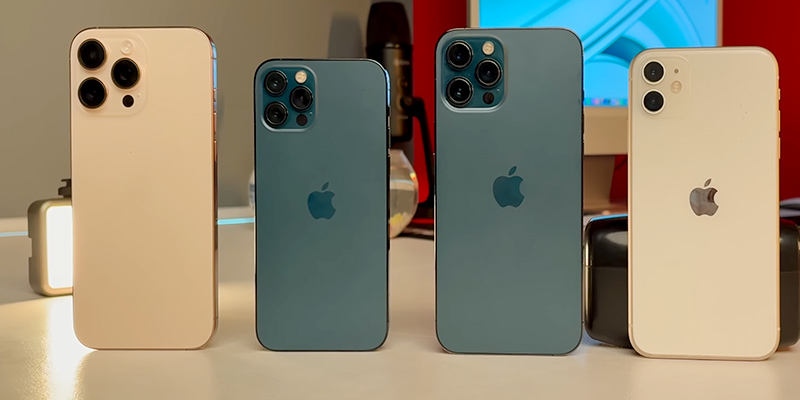
People confuse an original iPhone with a refurbished one.
However, they are not the same.
- Original iPhone: A genuine Apple device that may be brand new or previously used.
- Apple Certified Refurbished iPhone: An original iPhone inspected, repaired (if needed), tested, and resold by Apple.
- Third-party refurbished iPhone: A used iPhone repaired and resold by an independent company.
- Fake iPhone: A counterfeit device made to resemble an iPhone but not manufactured by Apple.
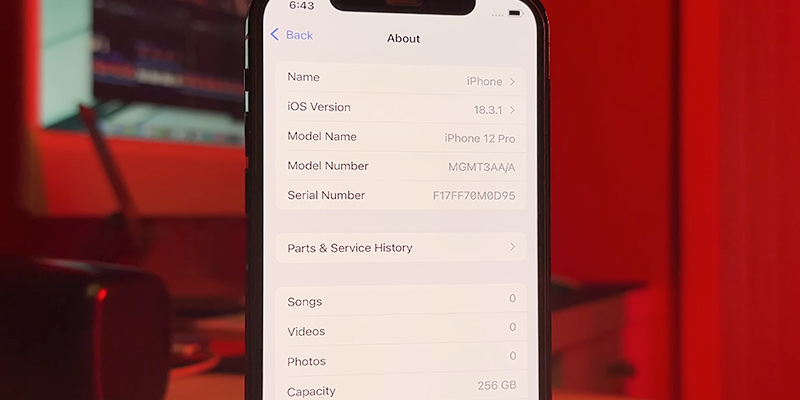
One of the easiest ways to determine whether your iPhone is refurbished is by checking its Model Number.
Go to:
Settings → General → About → Model Number
The first letter of the model number indicates the device type:
| First Letter | Meaning |
|---|---|
| M | Brand-new retail device |
| F | Apple Certified Refurbished |
| N | Replacement device from Apple |
| P | Personalized (engraved) device |
If the phone starts with F, it is an Apple-certified refurbished iPhone—not a fake one.
How to Check if an iPhone is Original Before Buying
Before spending your money, inspect the phone carefully.
1. Verify the IMEI
Dial:
Settings → General → About
or
Settings → Phone → My Number
Compare the IMEI printed on:
- the box
- SIM tray (on supported models)
- Settings
- purchase invoice
All numbers should match.
2. Check the Serial Number
Open:
Settings → General → About
Copy the serial number and verify it using Apple’s official warranty checker.
If Apple recognizes the serial number, the phone is genuine.
3. Inspect Build Quality
Original iPhones have:
- Premium aluminum or titanium frame
- Perfectly aligned buttons
- High-quality Retina or OLED display
- Smooth animations
- Excellent camera quality
Fake iPhones usually have:
- Loose buttons
- Thick bezels
- Poor camera performance
- Android-based interface disguised as iOS
4. Verify Apple ID Features
A genuine iPhone supports:
- Face ID or Touch ID
- Find My iPhone
- iCloud
- Apple Pay (supported regions)
- App Store
Counterfeit phones generally cannot access Apple’s ecosystem properly.
5. Check Activation Lock
Ask the seller to erase the phone completely.
During setup, it should not ask for another person’s Apple ID.
If it does, Activation Lock is still enabled.
How to Check if an iPhone is Refurbished by Serial Number
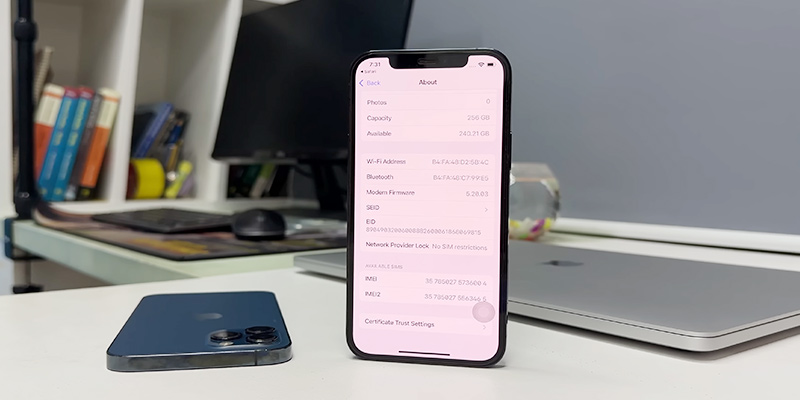
The serial number itself does not directly state whether an iPhone is refurbished, but it helps verify the device with Apple.
Steps:
- Open Settings
- Tap General
- Tap About
- Copy the Serial Number
- Visit Apple’s official coverage check page.
- Enter the serial number.
The result confirms:
- Device exists
- Warranty status
- AppleCare eligibility
- Model information
To know whether it’s refurbished, also check the Model Number.
Remember:
- Serial Number = identifies the device.
- Model Number = identifies whether it’s retail, refurbished, replacement, or personalized.
How to Check if iPhone is Original Using IMEI
Every original iPhone has a unique 15-digit IMEI number.
To find it:
- Settings → General → About
- SIM tray (some models)
- Original box
- Finder or iTunes
- Dial *#06#
Compare all IMEI numbers.
If they don’t match, the phone may have been repaired with different components or the box may not belong to that device.
You can also verify the IMEI using trusted IMEI lookup services to confirm:
- Device model
- Storage capacity
- Color
- Activation status
- Carrier lock information
If the lookup information matches the physical device, that’s a good sign the iPhone is genuine.
How to Check if iPhone is Original Without Opening Box
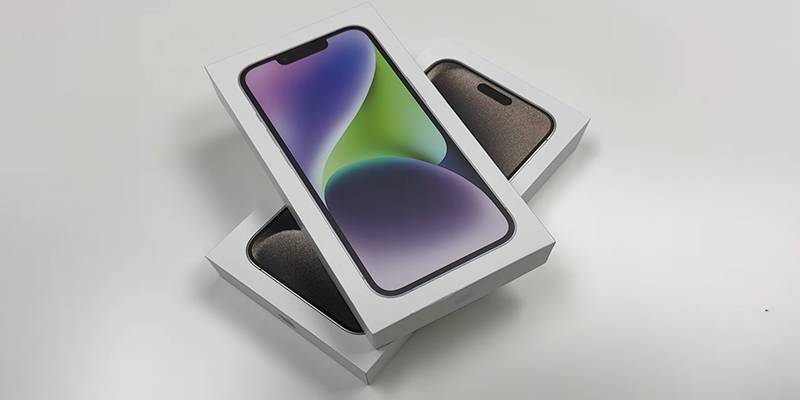
Buying a sealed iPhone? You can still perform several checks.
Check the Packaging
An original Apple box has:
- Sharp printing
- High-quality labels
- No spelling mistakes
- Proper Apple logo
Match the IMEI
The box contains:
- IMEI
- Serial Number
- Model Number
Ask the seller for these numbers.
Verify them before opening the package.
Check the Seal
Original Apple packaging has professionally applied seals.
Be cautious if:
- seals look replaced
- glue marks are visible
- box appears rewrapped
Verify Purchase Source
Buying from an Apple Store or an Apple Authorized Reseller greatly reduces the risk of receiving a counterfeit or previously opened device.
How to Check if Phone is Refurbished by IMEI
An IMEI alone usually cannot reliably tell you whether a phone has been refurbished.
However, an IMEI lookup can reveal valuable information such as:
- Original model
- Activation date
- Carrier status
- Warranty information
- Replacement history (on some databases)
To determine refurbishment status accurately:
- Check the IMEI.
- Verify the Serial Number.
- Check the Model Number prefix.
- Inspect battery health and repair history (on supported iOS versions).
- Compare the device specifications with Apple’s official specifications.
Using all these methods together gives a much more reliable result than relying on IMEI alone.
How to Check iPhone is Original in Settings
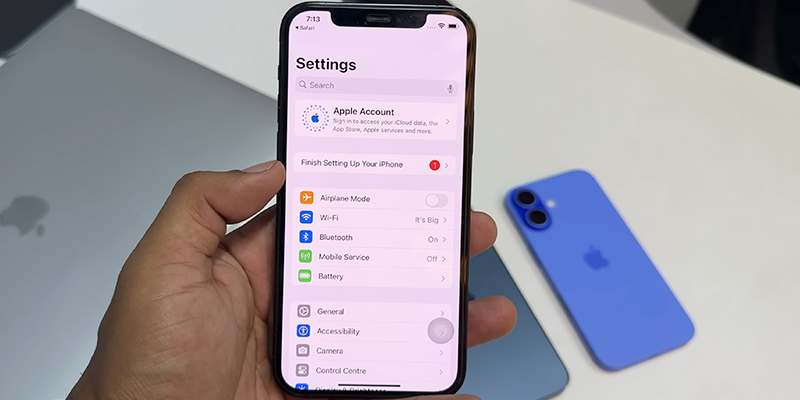
The Settings app contains nearly everything needed to verify an iPhone.
Go to:
Settings → General → About
Check the following:
Model Name
Ensure it matches the advertised model.
Model Number
Look at the first letter:
- M = New
- F = Apple Refurbished
- N = Replacement
- P = Personalized
Serial Number
Verify it using Apple’s warranty checker.
IMEI
Ensure it matches:
- Box
- SIM tray (where applicable)
- Purchase receipt
iOS Version
Original iPhones run genuine iOS.
If the interface resembles Android or lacks standard Apple apps like the App Store, FaceTime (where available), or iMessage, the device may not be authentic.
Battery Health
Navigate to:
Settings → Battery → Battery Health & Charging
If available, review the maximum capacity and any battery service messages. On supported iPhones and iOS versions, you may also see parts and service history, which can indicate whether components have been replaced.
What to Dial to Check if iPhone is Original
Many people search for a secret code to verify an iPhone’s authenticity.
The truth is:
There is no Apple dial code that confirms whether an iPhone is original.
The only useful dial code is:
*#06#
This displays the IMEI number.
You can then compare the IMEI with:
- Settings
- Original box
- Purchase invoice
- Trusted IMEI lookup services
Unlike some Android manufacturers, Apple does not provide hidden USSD codes to verify authenticity or hardware information.
Tips to Avoid Fake or Tampered iPhones
When buying a used or new iPhone, follow these best practices:
- Purchase from trusted retailers or authorized sellers.
- Compare the IMEI and serial number across the device and packaging.
- Verify the warranty using Apple’s official tools.
- Check the model number prefix.
- Ensure Activation Lock has been removed.
- Test Face ID, cameras, speakers, microphones, and charging.
- Avoid deals that seem significantly cheaper than the market price.
- Request the original purchase receipt whenever possible.
These simple checks can greatly reduce the risk of buying a fake, stolen, or improperly repaired device.
FAQs
Can a refurbished iPhone be original?
Yes. An Apple Certified Refurbished iPhone is an original Apple device that has been inspected, repaired if necessary, tested, and certified by Apple.
Does *#06# confirm an iPhone is original?
No. Dialing *#06# only displays the IMEI number. You still need to verify the IMEI and serial number against Apple’s records and ensure they match the device.
Can a fake iPhone have a valid IMEI?
Some counterfeit devices may display copied or invalid IMEI numbers. Always compare the IMEI with the box, the serial number, the model information, and the device’s software features for a complete verification.
How do I know if my iPhone has been replaced or refurbished?
Go to Settings → General → About and check the Model Number. If it starts with F, it is an Apple Certified Refurbished device. If it starts with N, it is a replacement device provided by Apple.
Is it safe to buy a refurbished iPhone?
Yes, provided it is refurbished by Apple or a reputable seller that offers a warranty, clear grading, and a return policy. Apple-certified refurbished devices undergo extensive testing and include genuine Apple parts where required.