
So, you have finally got that sleek new Samsung Galaxy in your hands. Maybe it is the latest S26 Ultra, or perhaps a reliable A-series workhorse. It looks beautiful, the screen is vivid, and the camera seems sharp. But then, a tiny seed of doubt creeps in: Is this actually a genuine Samsung product, or a very convincing “Super Clone”?
In an era where counterfeiters are becoming master craftsmen, “looking real” is not enough anymore. Fake devices can mimic the chassis, the boot screen, and even the user interface of a genuine Samsung phone. However, they can never mimic the internal engineering, the security of Samsung Knox, or the official registration in Samsung’s database.
In this comprehensive guide, we are going to walk through every single method for a Samsung original check online and offline. By the end of this article, you will be an expert at spotting a fake from a mile away.
Why Verifying Your Samsung Device is Critical?
Before we get into the “how,” let’s talk about the “why.” You might think, “If it works like a phone, why does it matter if it’s a clone?”
The reality is that counterfeit phones aren’t just a blow to your pride; they are a genuine risk.
- Security Hazards: Genuine Samsung devices come with Samsung Knox, a defense-grade security platform. Fakes often have “backdoors” pre-installed to steal your data.
- Safety Risks: Original Samsung batteries undergo rigorous testing. Fakes use sub-par lithium cells that are prone to overheating or, in extreme cases, exploding.
- No Software Updates: A fake phone might look like it’s running Android 16, but it’s often a skinned version of Android 10. You will never receive security patches.
- Poor Resale Value: You can’t trade in a fake phone at an authorized center. It’s essentially worth zero the moment you try to sell it.
The IMEI Verification Method
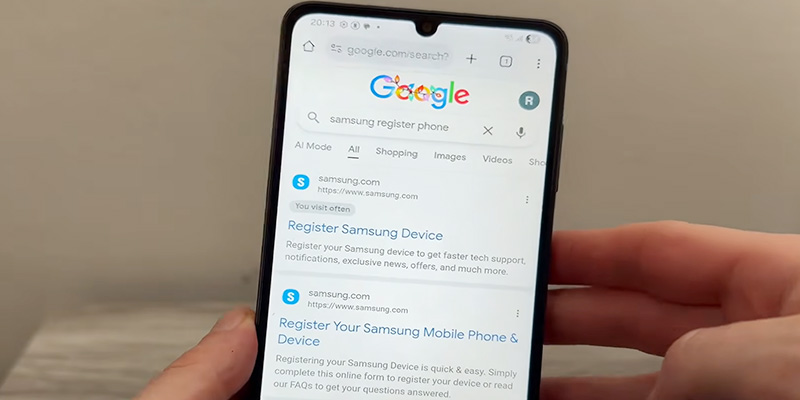
The IMEI (International Mobile Equipment Identity) is like a social security number for your phone. Every legitimate mobile device in the world has a unique 15-digit code. This is the most reliable way to perform a Samsung original check online.
How to Find Your IMEI
- The Dialer Method: Open your phone app and dial
*#06#. A box will pop up displaying your IMEI and Serial Number. - The Settings Method: Go to Settings > About Phone. Your IMEI will be listed there.
- The Physical Method: Check the back of your device (in very small print) or the original retail box.
Pro Tip: If the IMEI displayed on the screen when you dial *#06# does not match the IMEI printed on the box or the back of the phone, you are almost certainly holding a counterfeit or a tampered device.
How to Check the IMEI Online
Once you have the number, use these official or highly-rated portals:
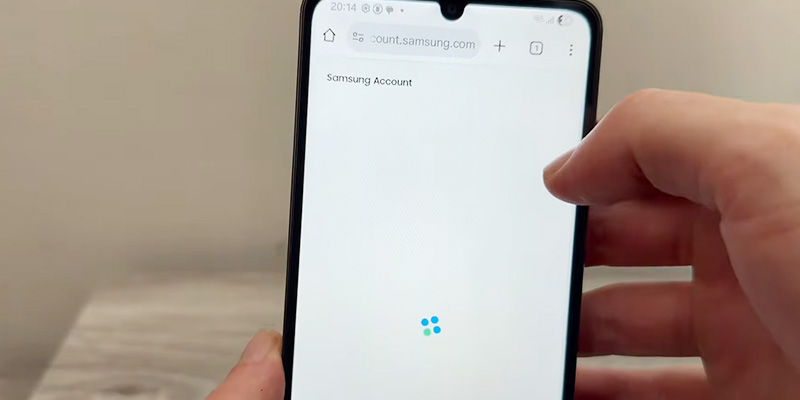
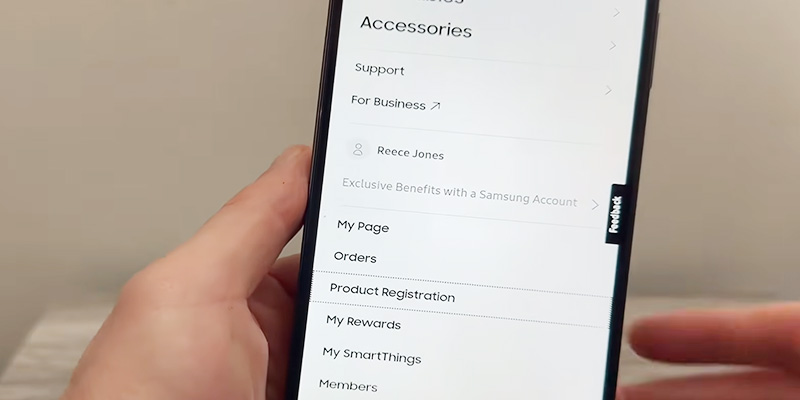
- Samsung Care (Regional): Many countries have a “Register my product” section on the Samsung website. If you enter the IMEI/Serial number and the system rejects it, it’s a red flag.
- IMEI.info: This is a reputable third-party database. Enter your 15-digit code, and it should return the exact model name, release date, and hardware specs of your Samsung device.
- IMEI24.com: Another excellent tool specifically for Samsung. It can often tell you the “Warranty Status” and “Production Date.” If the production date says 2022 but you bought a “brand new” S25, something is wrong.
Using Samsung’s Secret Diagnostic Codes
Samsung engineers have built-in “Secret Menus” for testing hardware. Most counterfeiters don’t bother replicating these deep-level system tools because they require specific hardware drivers.
The “General Test Mode”
Open your phone’s dialer and type *#0*#.
On a genuine Samsung device, this will instantly launch a library of tiles (Red, Green, Blue, Vibration, Mega Cam, Sensor, etc.).
- The Sensor Test: Click on ‘Sensor.’ Move your hand over the top of the phone (near the front camera). The screen should turn green and vibrate as the proximity sensor triggers.
- The Touch Test: You have to draw lines to fill all the squares on the screen. Fakes often have “dead zones” or jittery tracking.
- The Speaker Test: Genuine Samsung speakers (especially on Ultra models) have a distinct clarity. Fakes will sound tinny or distorted at high volumes.
The Software “Tells”: Samsung Members & Knox
Software is where counterfeiters usually fail. They can change the icons to look like One UI, but they can’t access Samsung’s proprietary services.
Method A: The Samsung Members App
Every genuine Samsung phone comes with the Samsung Members app pre-installed (or available in the Galaxy Store).
- Open Samsung Members.
- Tap on Support > Phone Diagnostics.
- Run the “Full Diagnostics.”A fake phone will usually crash the app or simply not be able to log into a Samsung Account because the device’s ID isn’t recognized by Samsung’s servers.
Method B: Check for “Knox” Security
Samsung Knox is hardware-level security. To check if it’s active:
- Go to Settings > About Phone > Software Information.
- Look for “Knox version.” If this section is missing entirely, or if the version number looks suspicious (e.g., “0.0”), the device is not an original Samsung product.
Physical Inspection: The Hardware Giveaway
Samsung spends billions on R&D. Their build quality is world-class. Counterfeiters, on the other hand, are trying to save every penny.
The Display (The “Deep Black” Test)
Samsung is the king of AMOLED technology.
- The Test: Open a completely black image on the screen in a dark room.
- Real Samsung: The screen should look like it’s turned off. The pixels completely shut down, resulting in perfect blacks.
- Fake Samsung: Most fakes use cheap LCD panels. The “black” will look like a dark, glowing gray because the backlight is still on.
The Bezel and “Chin”
Modern Samsung flagships have incredibly thin, symmetrical bezels.
- Fake Check: Look at the bottom of the screen (the “chin”). Counterfeit phones almost always have a thicker bottom bezel because cheap LCD connectors require more space.
The Logo and Printing
- Logo: Run your fingernail over the Samsung logo on the back. It should feel smooth and perfectly integrated. On fakes, it often feels like a sticker or is slightly raised.
- The “Feel”: Genuine Samsung glass (Gorilla Glass Victus/Armor) feels cool to the touch and resists fingerprints better than the cheap plastic/glass used in clones.
Comparing Specifications (The Specs Never Lie)
A fake phone might claim to have 1TB of storage and 16GB of RAM in the “About Phone” menu, but that’s just a line of code they edited. To see the real hardware, use an independent app.
Use “CPU-Z” or “Device Info HW”
- Download CPU-Z from the Google Play Store.
- Check the SoC (System on Chip).
- If you bought a Flagship S-series, it should say Snapdragon or Exynos.
- If CPU-Z says MediaTek (on a model that shouldn’t have it) or Spreadtrum, you’ve been scammed.
- Check the Screen Resolution. If you bought an Ultra model but the resolution shows 720p or 1080p, it’s a fake.
Comparison Table: Original vs. Counterfeit
| Feature | Original Samsung | Counterfeit (Fake) |
| Display | Super AMOLED / Dynamic AMOLED | Cheap LCD (Glows in the dark) |
| IMEI | Registered and valid on Samsung servers | Not found or belongs to a different model |
Secret Code (*#0*#) | Works perfectly | Usually does nothing |
| Samsung Account | Logs in and syncs | Fails to log in or redirects to a fake page |
| Camera | Crisp, fast autofocus, 4K/8K video | Grainy, slow, fake “Zoom” buttons |
| S-Pen (Ultra) | Active Bluetooth features, pressure sensitive | Just a plastic stylus or no S-Pen at all |
Buying Tips to Avoid Counterfeits
The best way to pass a Samsung original check online is to never need one in the first place.
Here is how to shop smart:
- Price is the Biggest Clue: If you see a brand new Galaxy S25 Ultra for $400 on Facebook Marketplace or a random website, it is 100% fake. No one sells a $1,300 phone for 70% off.
- Official Channels: Stick to Samsung.com, authorized carriers (like AT&T, Verizon, Grameenphone, etc.), or reputable retailers like Best Buy or Amazon (ensure it says “Sold by Amazon”).
- The “Box” Quality: Samsung’s packaging is high-quality matte cardboard. Fakes often use shiny, flimsy boxes with blurry printing.
- Verify the Seller: On sites like eBay, check the seller’s history. If they have 0 feedback and are selling 50 units of the latest flagship, run away.
What to do if you realize your phone is fake?
If you ran the Samsung original check online and the result was negative, don’t panic, but act fast:
- Contact the Seller: If you bought it via a platform like eBay or Amazon, open a “Item Not as Described” or “Counterfeit” dispute immediately.
- Payment Provider: Contact your bank or PayPal to initiate a chargeback.
- Report it: Report the seller to the platform to prevent others from being scammed.
- Stop Using It: As mentioned earlier, fake phones are security risks. Do not enter your banking passwords or primary Gmail account into a counterfeit device.
Conclusion
Buying a new smartphone is a significant investment, and you deserve the genuine experience that Samsung provides. While counterfeiters are getting better, they still can’t beat the IMEI check, the Secret Test Mode, or CPU-Z hardware verification.
Always remember: if a deal looks too good to be true, it almost certainly is. Take five minutes to run these checks, it’s the difference between owning a masterpiece of technology and holding a dangerous piece of plastic.